Parcel Dashboard Documentation
Welcome, let's begin by exploring the features and getting familiar with the system.
Table of contents
- Reporting
- Installation
- Shipments Report
- Transit Time Report
- Email Notifications Report
- Tracking Page Report
- Advanced Email
- Features
- Test Email Environment
- Logging Capabilities
- API Integration for Dynamic Content
- BCC Copy for Email Records
- Custom Email Builder
- Selective Order Status Email Sending
- Installation
- Tracking Page
Reporting
Installation:
-
Shipments and Transit Time Report are entirely FREE of
charge.
-
Email Notifications Report and Tracking Page Report are included in
advanced email
subscription.
Kindly follow the advanced email installation.
1. Shipments Report (Free)
-
Summary of delivery rate, shipments tracked, Non-delivered, Exception
- A high delivery rate signifies efficiency, reliability, and customer satisfaction
- The importance of non-delivered data lies in its ability to highlight and address issues within the delivery process or couriers. Tracking and analyzing instances of non-delivery offer valuable insights for businesses.
- The report offers a breakdown of number of shipments per status.
- Shipments overtime show the comparison of delivered vs non-delivered daily, weekly of monthly.
- This report will only be available once initial sync are completed
- No Action Needed
- FREE
2. Transit Time Report (Free)
- Shows Average Transit Time, Transit Time Distribution, Transit Time by Carrier
- Average Transit Time represents the typical duration for shipments average from origin to destination, providing a key metric for evaluating delivery speed and optimizing logistics operations.
- This report will only be available once initial sync are completed
- No Action Needed
- FREE
3. Email Notifications Report
- Number of Delivered Emails, Invalid Emails, Blocked, Bounces, Deffered
- Number of Opened Emails, Unique, Clicked, Unique Clicked, Spam and Unsubcribed
- Included in advanced email subscription
4. Tracking Page Report
- The Tracking Page report provides comprehensive analytics, encompassing both Page Views and Unique Page Views.
- Included in advanced email subscription
Advanced Email
Supercharge your email tracking with our advanced email platform! Experience the next level of efficiency and insights with our cutting-edge features, including powerful email tracking delivered, opens, and clicks. Maximise advanced tracking, customizable email bodies, and seamless logging and testing.
Elevate your email tracking to new heights with our email-powered solution that goes beyond the basics, offering unparalleled sophistication and control. Upgrade to a smarter, more effective way to connect with your audience and drive results. Try it now and revolutionize your email tracking game!
Features:
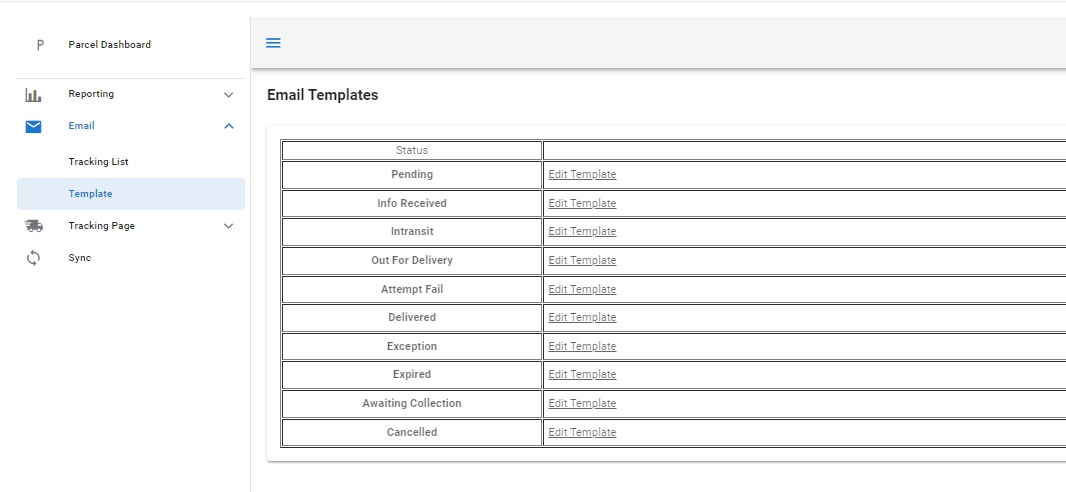
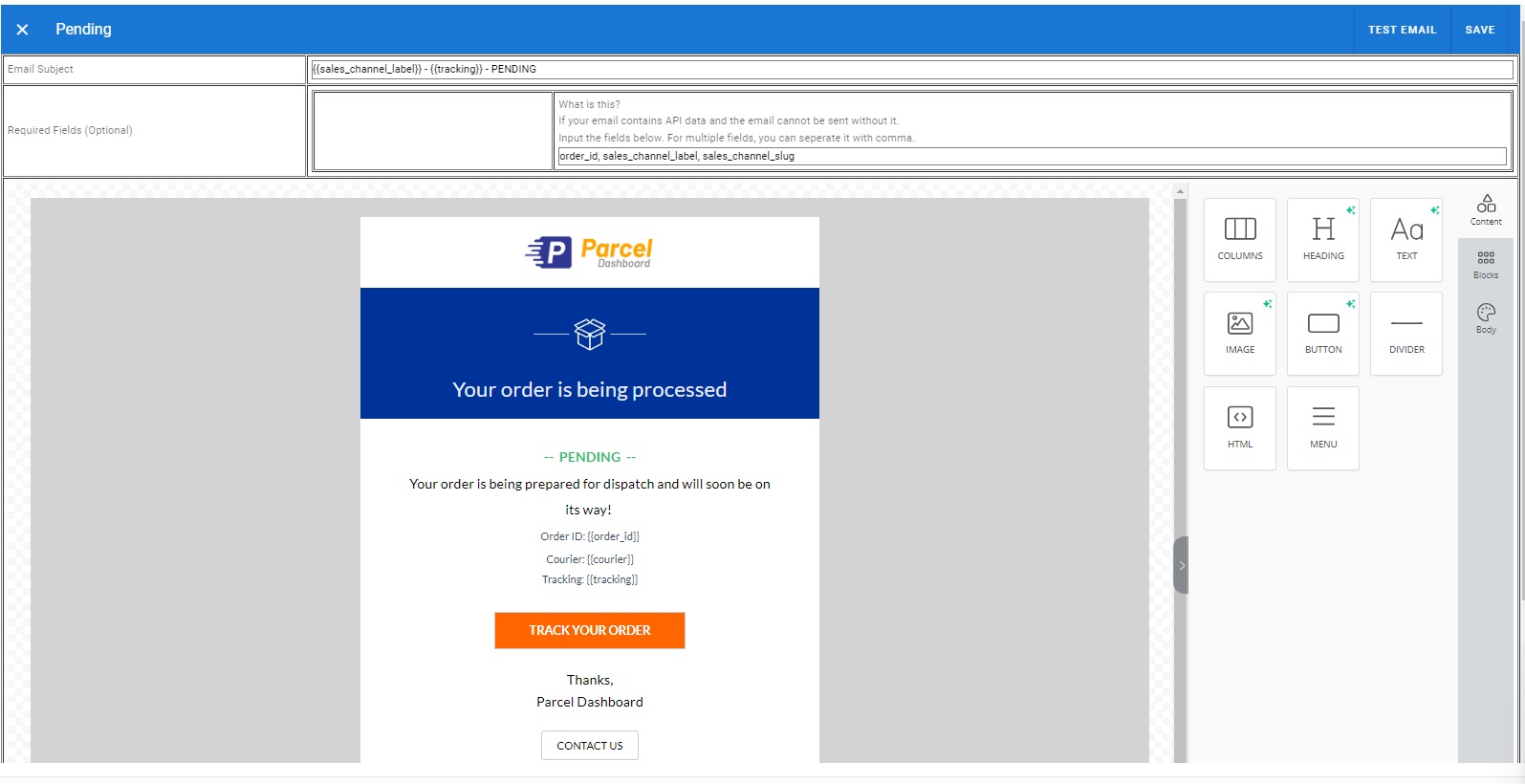
1. Custom Email Builder
- Create bespoke email content with a user-friendly, intuitive interface.
- Design visually appealing and personalized emails to enhance brand communication.
2. Test Email Environment
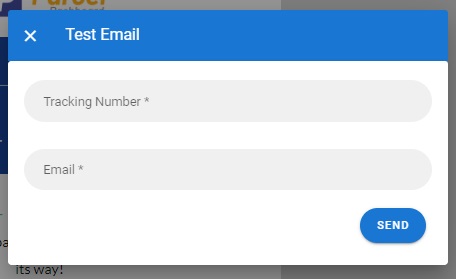
- Preview and validate emails before sending to avoid errors and optimize impact.
- Ensure the effectiveness of your email campaigns with a dedicated testing environment.

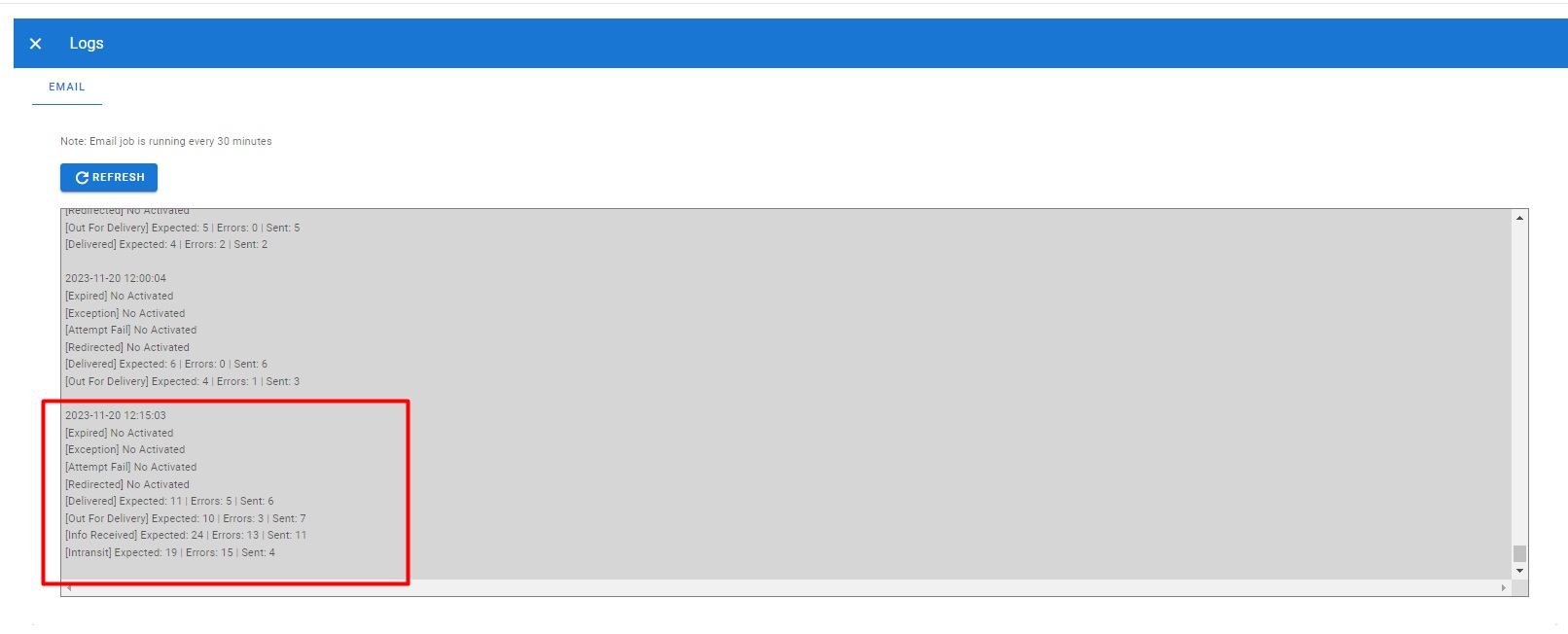
3. Logging Capabilities
- Keep detailed logs of all email communications for easy reference and analysis.
- Track delivery status, open rates, and click-through data for performance evaluation.
4. API Integration for Dynamic Content
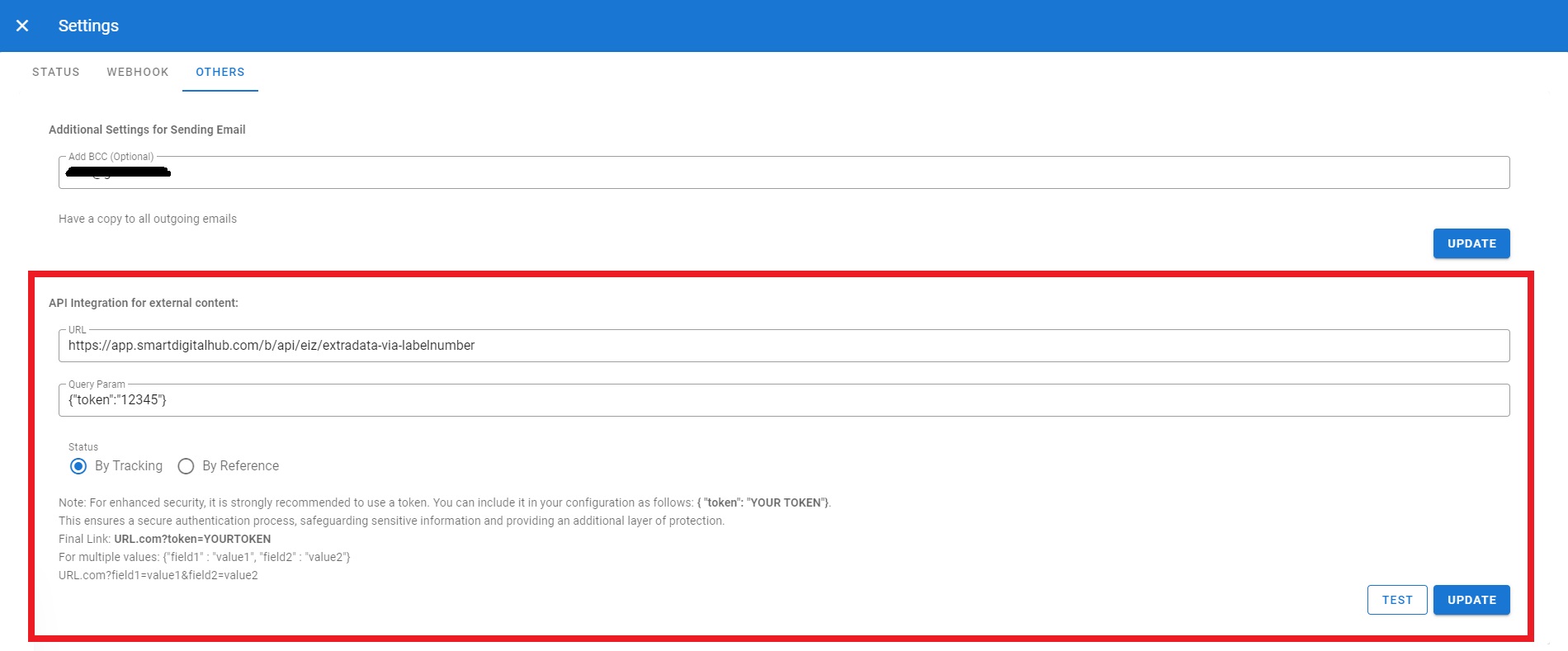
- Seamlessly connect to external APIs to incorporate additional dynamic content.
- Enhance email content with real-time data and personalized information.
Requirements:
Prepare an API
| Method | POST |
| URL | [[YOUR URL]] |
| Additional Query Param | For enhanced security, it is strongly recommended to use a token. You can include it
in your configuration query param as follows: { "token": "YOUR TOKEN"}.
Ex. [[YOUR URL]]?token=[token] |
| Accept json requests as follow: |
        {
            "data": [
                "Tracking Number or Reference",
                "Tracking Number or Reference",
                "Tracking Number or Reference"
            ]
        }

        Ex.
        {
            "data": [
                "tracking_12345",
                "tracking_abced",
                "tracking_xyz",
            ]
        }
|
| Response a json requests as follow: |
        {
            "tracking_12345": {
                "order_id": "value",
                "sku": "value_2",
                "quantity": "value_2",
            },
            "tracking_abced": {
              "order_id": "value",
                "sku": "value_2",
                "quantity": "value_2",
            },
            "tracking_xyz": {
              "order_id": "value",
                "sku": "value_2",
                "quantity": "value_2",
            }
        }
|
Now, values such as "order_id", "sku" and 'quantity' can be utilized for email templating.
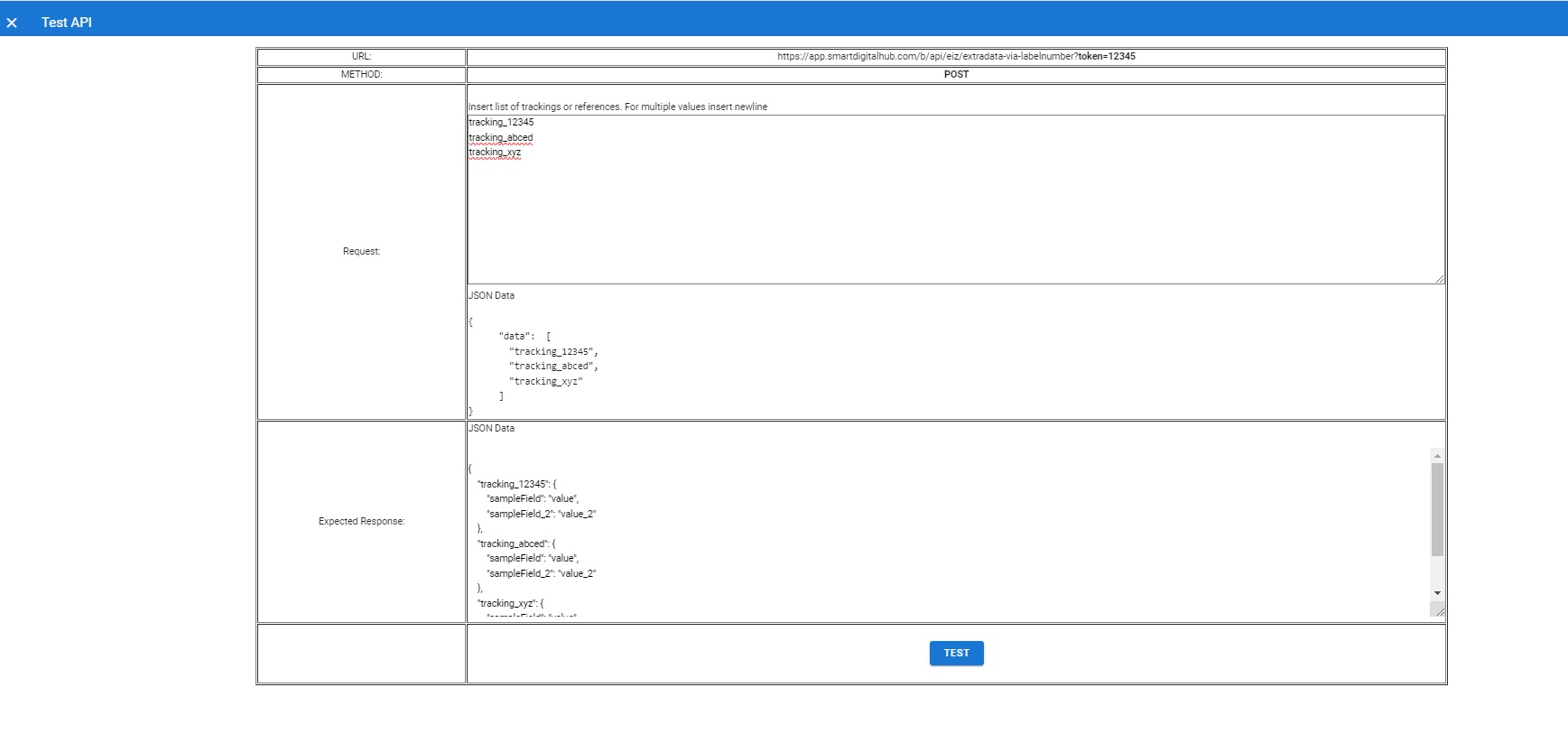
TESTING: To test your API, click the "TEST" button at the bottom, and ensure it triggers a GET request to the specified endpoint. Check the response for the expected data or outcome.
Include Sample Tracking Number
5. BCC Copy for Email Records
- Automatically include a Blind Carbon Copy (BCC) of all emails for comprehensive record-keeping.
- Maintain a transparent and secure archive of all outgoing emails.

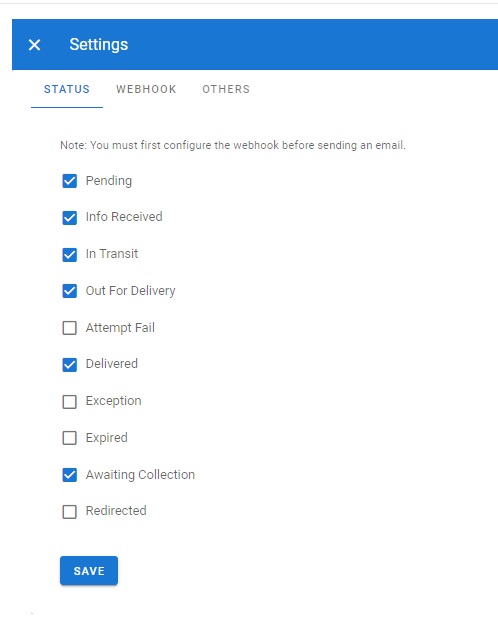
6. Selective Order Status Email Sending
- Customize email triggers based on specific order statuses.
- Tailor communication to different stages of the customer order journey.
Installation:
Kindly reach out to Eiz to subscribe to the Advanced Email Subscription service.
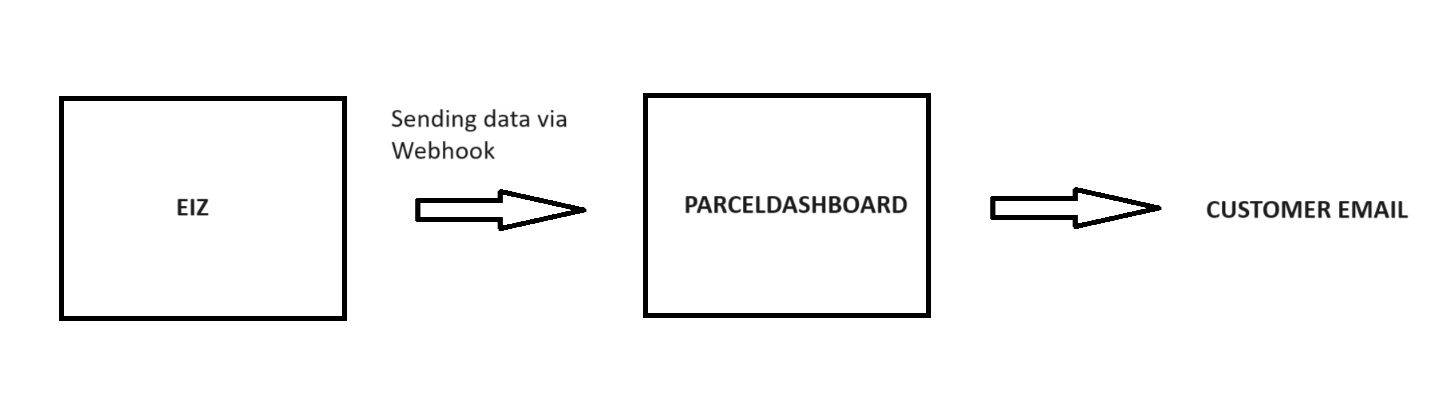
System Flow:
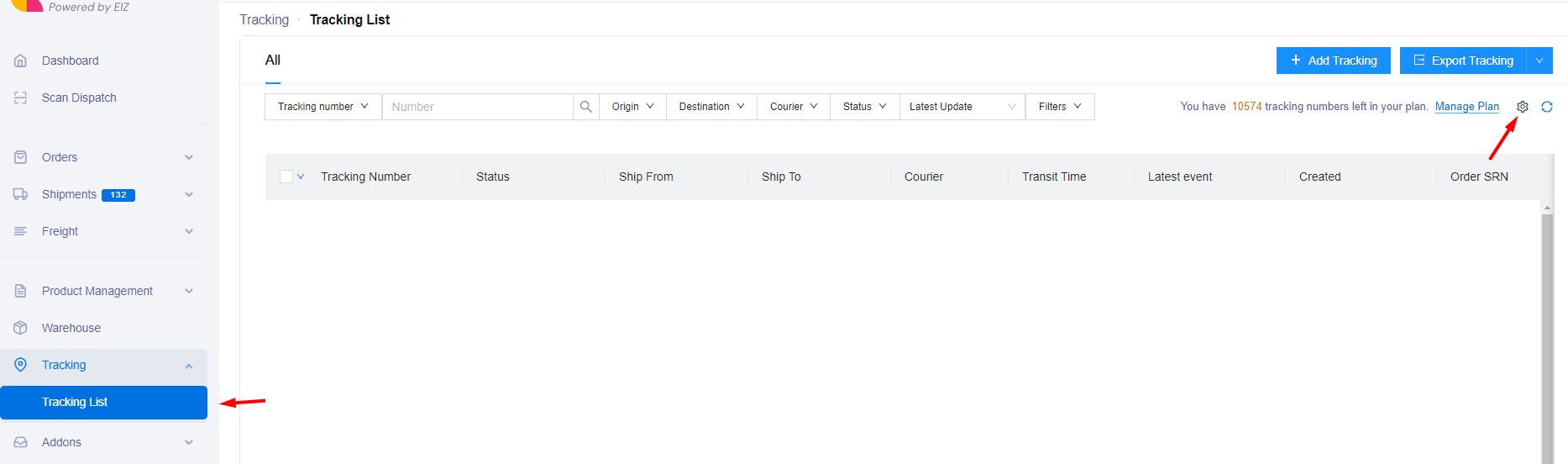
1. Under Email > Tracking List. Click Settings Button on the top right.

2. Under Webhook Tab, Copy URL and Secret Key Value.
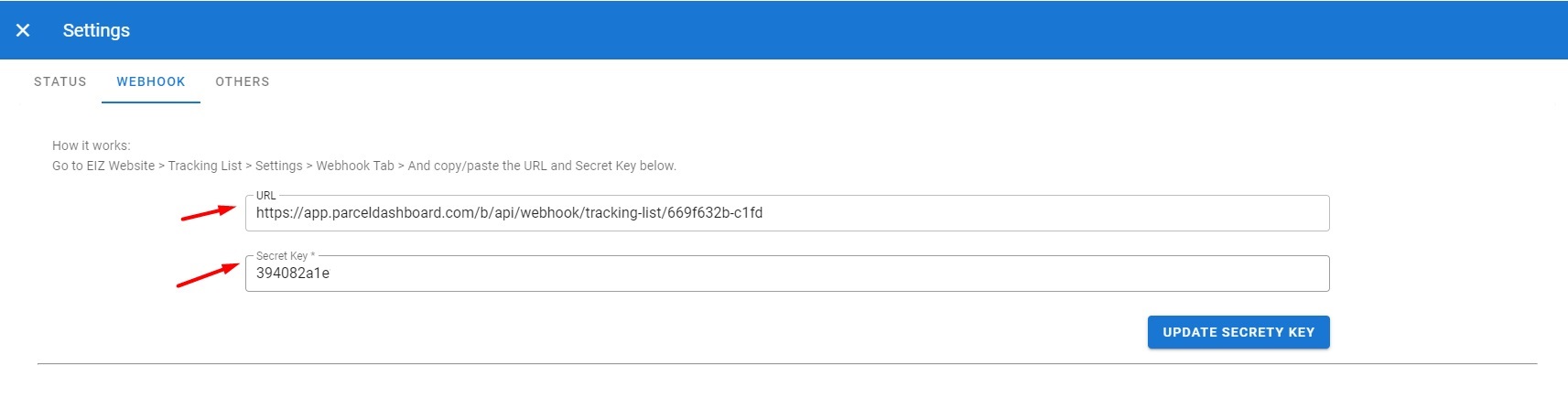
3. Paste the values to Tracking List > Settings > Webhook
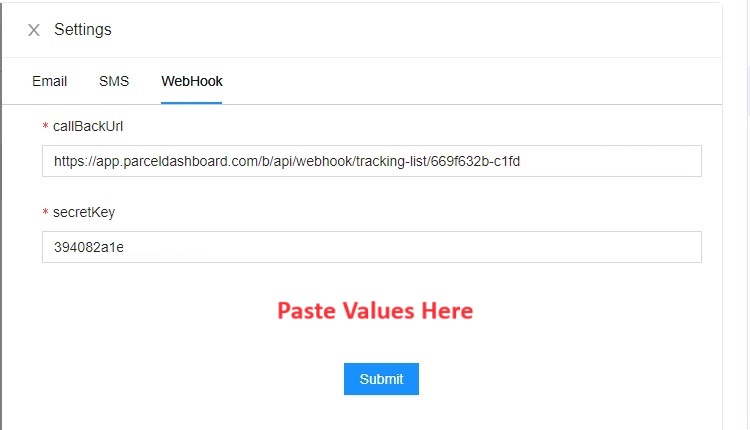
4. Subsequently, ParcelDashboard should receive data, and you can observe it under Email > Tracking List > Settings > Webhook > Bottom Part.
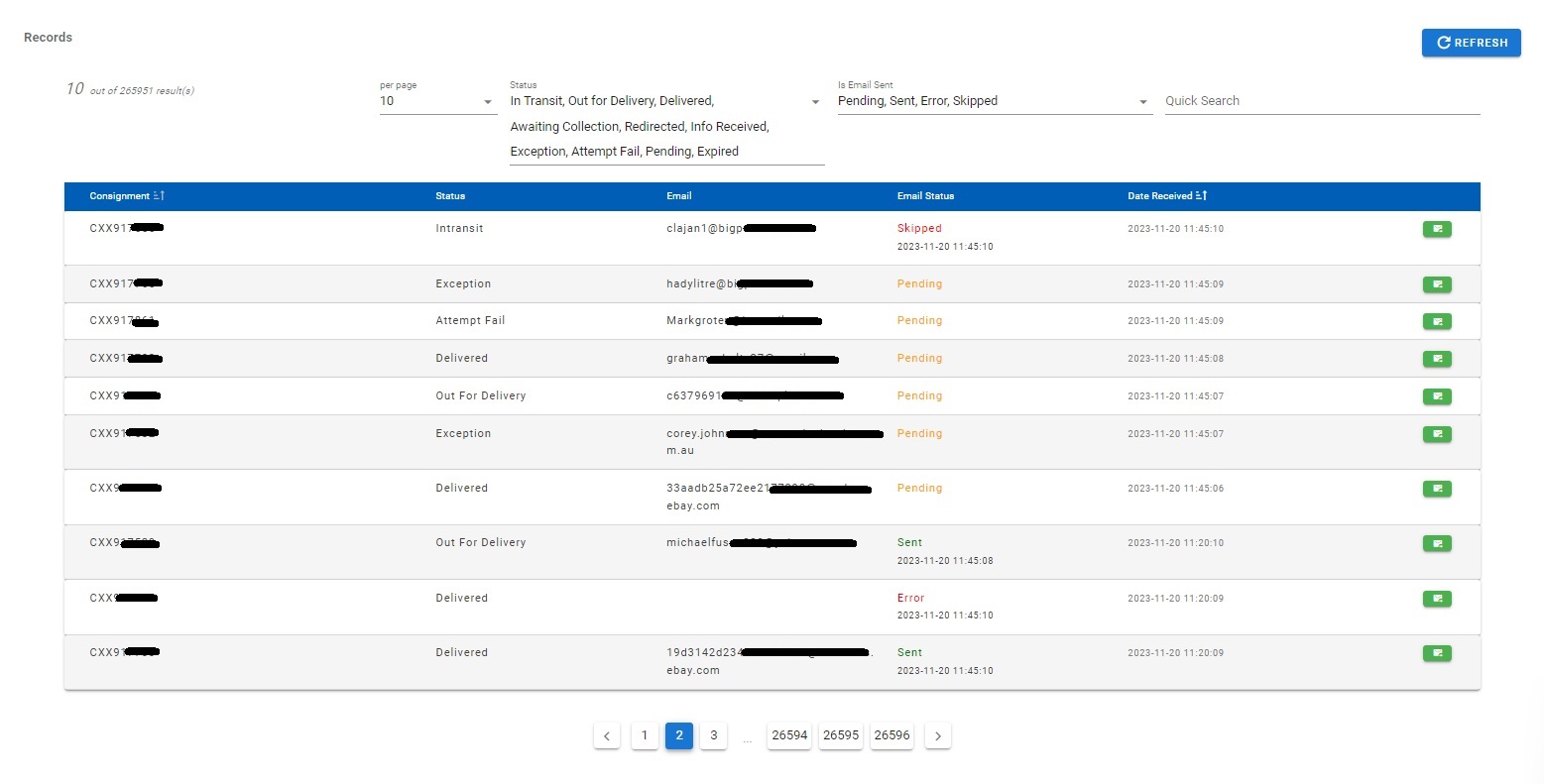
Pending - Emails that have not been sent yet.
Sent - Emails that have been successfully sent.
Error - Various reasons may lead to an error, such as no email on the
record. Click the
button on the right
side to view the email and details of the error.
Skipped - The system can only send one email per status for optimization
purposes.
Tracking Page
A tracking page serves as a website where customers can monitor the progress of their shipments. E-commerce platforms have the option to create or incorporate a tracking page into their site, enhancing the overall customer experience. By inputting their tracking number on this page, customers can effortlessly access information such as:
- courier’s name
- the latest delivery status
- extra/dynamic content using the external API feature
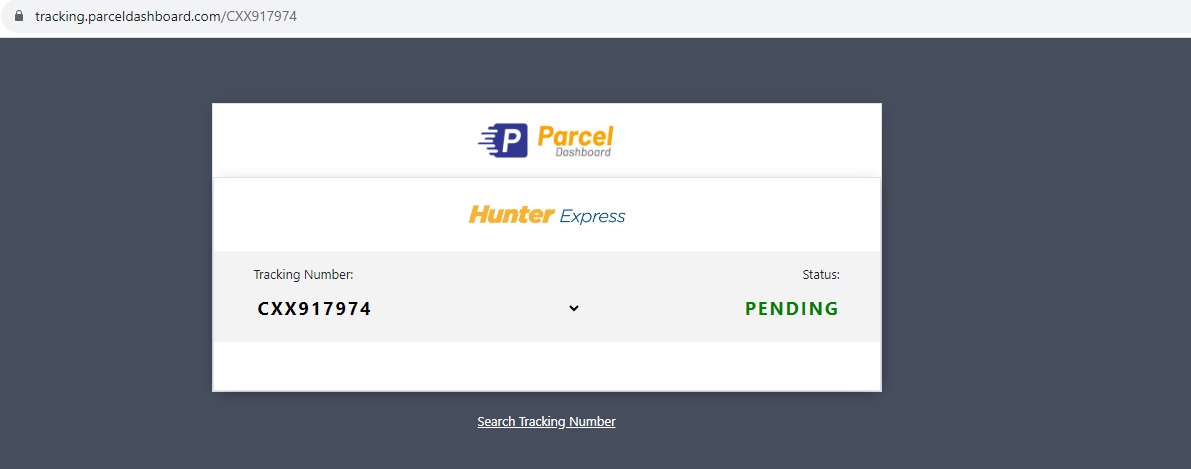
With Branding
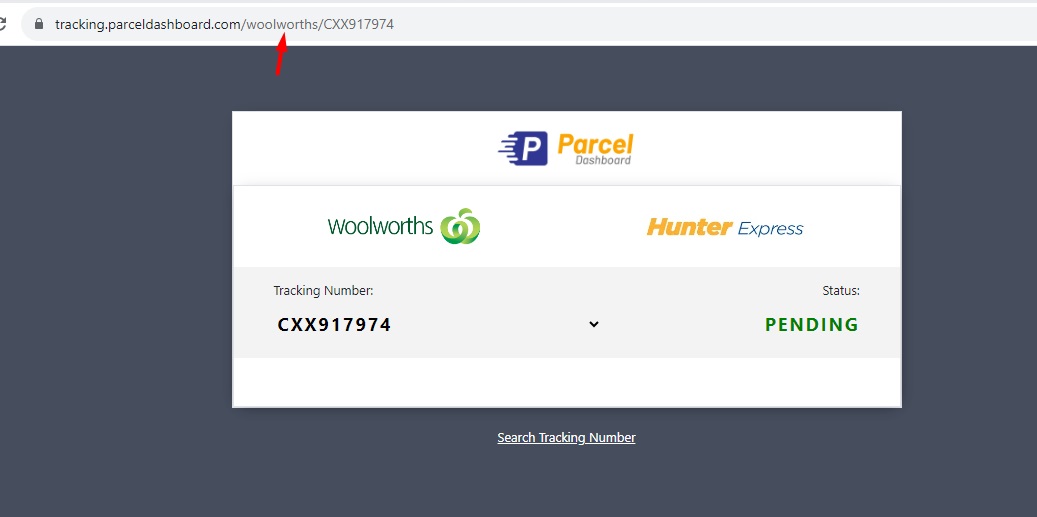
How to setup
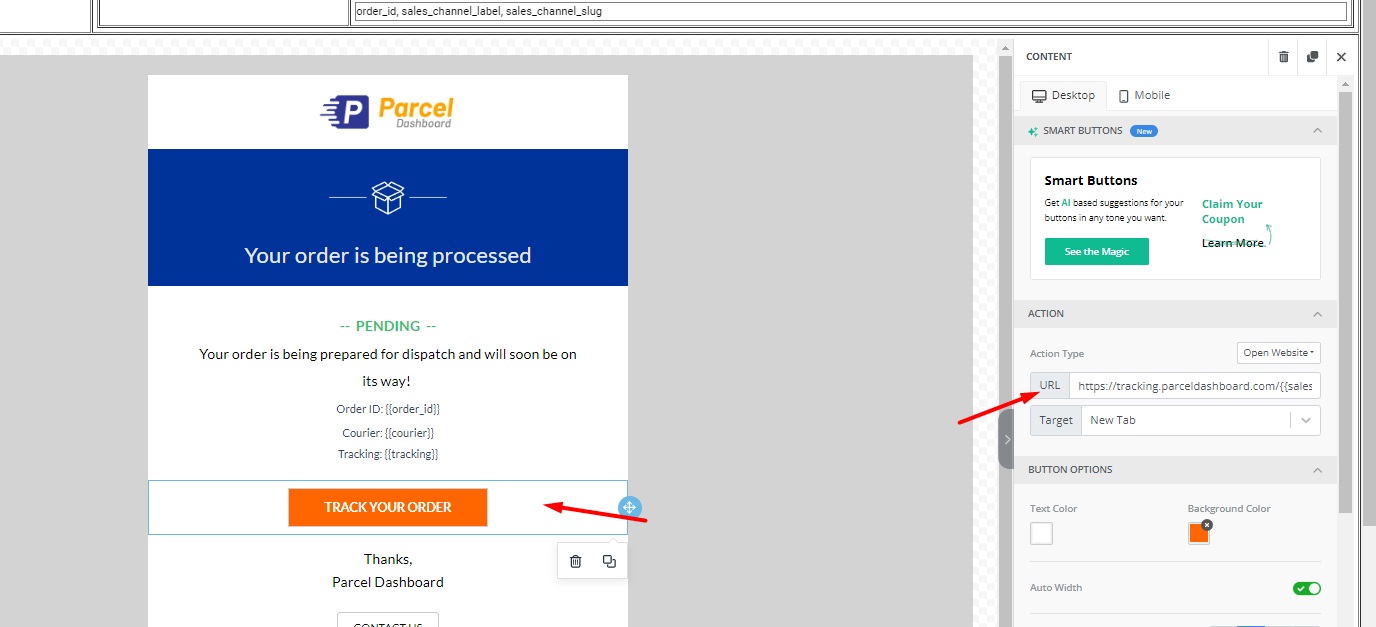
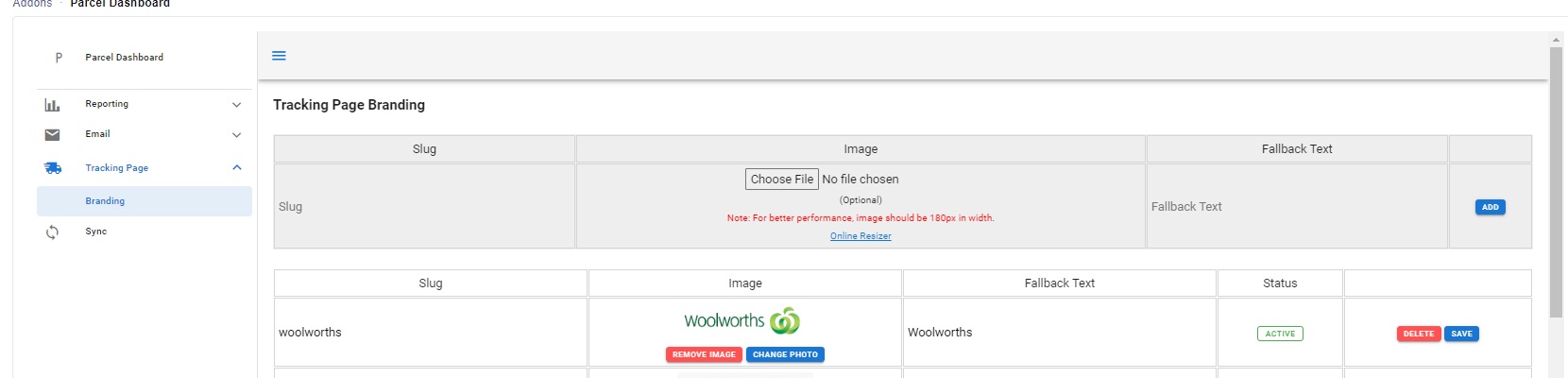
The "Track Your Order" button URL can include a slug, allowing you to customize it with your own logo.
Without Branding: https://tracking.parceldashboard.com/{{tracking}}
Static Branding: https://tracking.parceldashboard.com/woolworths/{{tracking}}
Dynamic Branding: https://tracking.parceldashboard.com/{{slug}}/{{tracking}}
{{slug}} can be get from the extra content provided by the API.

In this case: slug field is sales_channel_slug
https://tracking.parceldashboard.com/{{sales_channel_slug}}/{{tracking}}
Upload Image Branding